


Introduction
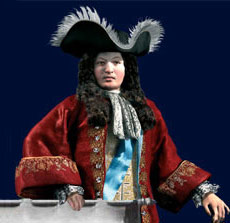
Louis XIV of France ranks as one of the most remarkable monarchs in history. He reigned for 72 years, 54 of them he personally controlled French government. The 17th century is labeled as the age of Louis XIV. Since then his rule has been hailed as the supreme example of a type of government - absolutism. He epitomized the ideal of kingship. During his reign France stabilized and became one of the strongest powers in Europe.
During his reign France became the ideal culture since he put great care into its enhancement so he could boast it to the world. The country changed drastically from savage mediaeval ways to a more refined, exquisite living - evident from his palace in Versailles. Within 54 years he did what several kings worked on for centuries. French culture became one of the most appealing in the world, and the name Louis XIV has been associated with greatness and glory.
Louis XIV was a great monarch, and he was capable of maintaining strong kingdom because he never, in his entire life, doubted his right to be king.
His autocracy was indeed amazing, and truly an example of the kind. He lived and ruled as a king should have. Louis XIV became the ideal king, and many have tried unsuccessfully to live up to his glory.
About that site
That site is a private non-profit site created in order to offer as much information as possible on Louis XIV and to unite people who are interested in Louis XIV and his age
